
How to Apply for a Fertilizer License Online in UP A Complete Guide
Up fertilizer licence Online apply :– Obtaining a fertilizer license is crucial for businesses involved in the manufacturing, distribution, or sale of fertilizers in Uttar Pradesh (UP). This comprehensive guide will walk you through the process of applying for a fertilizer license online in UP, making the procedure easier and more accessible for aspiring entrepreneurs and established businesses alike.
Understanding the Fertilizer License in UP
What is a Fertilizer License?
A fertilizer license is an official permit issued by the state government that allows individuals or companies to engage in the business of manufacturing, selling, or distributing fertilizers within UP.
Types of Fertilizer Licenses in UP
- Manufacturer’s License
- Wholesaler’s License
- Retailer’s License
Eligibility Criteria for UP Fertilizer License
To apply for a fertilizer license in UP, applicants must meet the following criteria:
- Be at least 18 years of age
- Possess necessary educational qualifications (varies by license type)
- Have adequate storage facilities
- Comply with all relevant regulations and guidelines
Documents Required for Online Application
Gather the following documents before starting your online application:
- Proof of identity (Aadhar Card, PAN Card)
- Address proof
- Educational certificates
- Passport-sized photographs
- Business registration documents (if applicable)
- Storage facility details and photographs
- NOC from local authorities (if required)
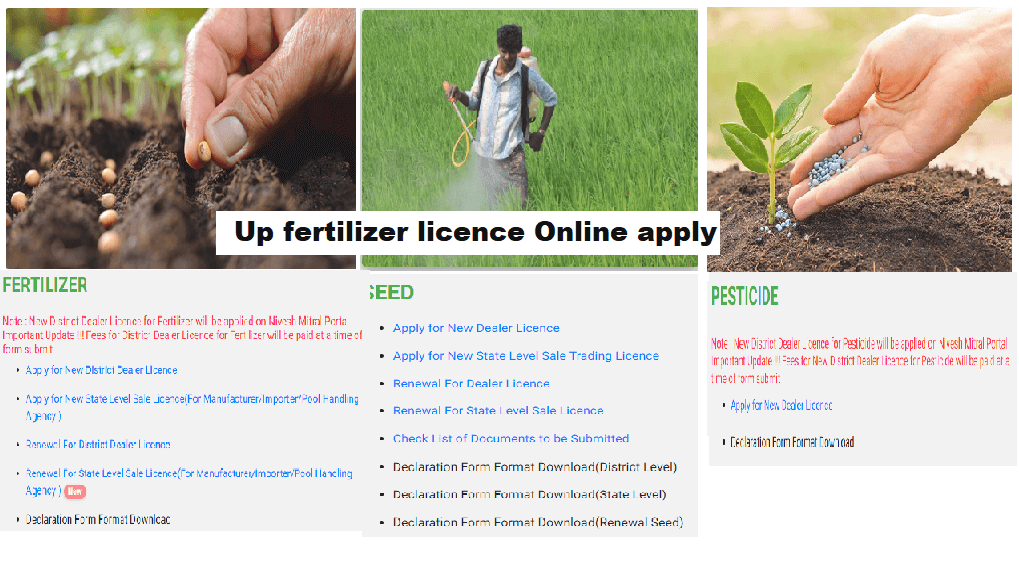
Step-by-Step Guide to Apply for Fertilizer License Online in UP
Step 1: Visit the Official Portal
Navigate to the official UP Agriculture Department website or the designated fertilizer license application portal.
Step 2: Register or Login
Create a new account if you’re a first-time user, or log in with your existing credentials.
Step 3: Select License Type
Choose the appropriate fertilizer license type based on your business needs.
Step 4: Fill the Application Form
Carefully complete all required fields in the online application form. Ensure accuracy to avoid delays.
Step 5: Upload Documents
Upload all necessary documents as specified in the application. Ensure they are clear and legible.
Step 6: Pay the Application Fee
Complete the payment of the required application fee through the available online payment options.
Step 7: Submit the Application
Review all entered information and uploaded documents before final submission.
Step 8: Track Your Application
Note down the application reference number to track the status of your license application.
Tips for a Successful Online Application
- Double-check all information before submission
- Ensure all documents are up-to-date and valid
- Keep the application reference number safe for future reference
- Respond promptly to any queries or additional requirements from the authorities
Processing Time and Approval
The processing time for a fertilizer license application in UP typically ranges from 15 to 30 days, depending on the completeness of your application and the current workload of the licensing authority.
Renewal of Fertilizer License in UP
Fertilizer licenses in UP are generally valid for a specific period and require renewal. The renewal process can also be completed online, usually starting 30 days before the license expiry date.
Common Reasons for Application Rejection
- Incomplete or inaccurate information
- Missing or invalid documents
- Failure to meet eligibility criteria
- Non-compliance with storage or safety regulations
Benefits of Online Fertilizer License Application
- Convenient and time-saving process
- Reduced paperwork and manual errors
- Transparent application tracking
- Faster processing compared to offline applications
Importance of Compliance After Obtaining the License
After receiving your fertilizer license, ensure:
- Adherence to all terms and conditions of the license
- Regular maintenance of proper records
- Compliance with quality control measures
- Timely renewal of the license
Pesticides licence application form online only up pdf,
Pesticides licence download,
Up fertilizer licence Online apply,
15 days training for fertilizer licence,
Pesticide licence check,
Pesticide licence check online,
Pesticides licence application Form pdf Download,
u.p. agriculture licence online registration,
Conclusion
Applying for a fertilizer license online in UP has significantly streamlined the process for businesses in the agricultural sector. By following this comprehensive guide and ensuring all requirements are met, you can successfully obtain your fertilizer license and contribute to the agricultural growth of Uttar Pradesh. Remember to stay updated with any changes in regulations and maintain compliance throughout your business operations.
For any further assistance or queries regarding the online application process, contact the UP Agriculture Department or visit their official website for the most up-to-date information.

 Pan Card Form